

10 Ways by Which you can Promote Cyber Security in the Workplace?
Cybersecurity has become an essential cornerstone for businesses of all sizes. The increasing frequency and sophistication of cyber attacks place organizations at constant risk, threatening sensitive data, disrupting operations, and damaging reputations.
Promoting cyber security in the workplace is no longer optional; it’s a critical responsibility shared by every employee and management team. Here in this article we are going to discuss about the topic 10 Ways by which you can promote cyber security in the workplace?
List of 10 Ways by Which you can Promote Cyber Security in the Workplace?

1. Conduct Regular Cybersecurity Training
One of the most effective ways to promote cybersecurity is by educating employees on security best practices. Human error is often the weakest link in a company’s cyber defence, with phishing attacks, weak passwords, and unsafe browsing habits being common vulnerabilities.
Why it matters: Training equips employees with the knowledge to recognize threats such as phishing emails, suspicious links, and insecure websites. It also builds a culture where security-aware behavior becomes second nature.
How to implement: Schedule mandatory training sessions at onboarding and refreshers periodically. Use engaging methods like interactive workshops, simulations of cyber attacks, or gamified learning platforms. Tailor content to different departments based on their exposure to sensitive data.
2. Establish Strong Password Policies
Passwords remain the primary gatekeepers of digital access. Weak or reused passwords across multiple platforms drastically increase the risk of unauthorized access to company systems.
Why it matters: Strong passwords prevent attackers from easily guessing or cracking account credentials.
How to implement: Enforce policies requiring complex passwords with a combination of letters, numbers, and special characters. Set rules for minimum lengths and periodic password changes. Promote the use of password managers to help employees generate and securely store unique passwords.
3. Deploy Multi-Factor Authentication (MFA)
Passwords, even when strong, can be compromised. Multi-factor authentication adds an extra layer of security by requiring multiple forms of verification before granting access.
Why it matters: MFA significantly reduces the chances of unauthorized access, even if passwords are stolen or leaked.
How to implement: Implement MFA on critical systems such as email, VPNs, administrative portals, and financial applications. Encourage or mandate the use of authenticator apps, hardware tokens, or biometric verification as additional factors.
4. Secure All Devices and Networks
In our increasingly mobile and remote work environments, securing devices and networks is paramount. Unprotected endpoints and networks offer entry points for cyber threats.
Why it matters: Devices like laptops, smartphones, and USB drives can carry malware, while unsecured Wi-Fi networks make data interception easier.
How to implement: Require endpoint protection software, such as antivirus and firewalls, on all devices accessing company resources. Enforce full disk encryption, especially for portable devices. Provide secure VPN access for remote workers and discourage use of public Wi-Fi without protection.
5. Implement Data Backup and Recovery Plans
Data breaches and ransomware attacks can lead to significant data loss, crippling business operations.
Why it matters: Regular backups and recovery plans ensure business continuity and reduce downtime.
How to implement: Establish automatic, encrypted backups stored offsite or in the cloud. Test recovery procedures regularly to ensure data integrity and rapid restoration. Train employees on incident reporting to enable quick response to security events
6. Set Clear Policies on Data Access and Usage
Establishing access controls and usage policies helps to minimize unnecessary exposure of sensitive information.
Why it matters: Limiting access to only those who need it reduces insider threats and accidental data leaks.
How to implement: Use the principle of least privilege to assign permissions. Monitor and audit access logs regularly. Clearly communicate acceptable use policies regarding company devices, internet usage, and data handling.
7. Promote a Culture of Cyber Security Awareness
Creating an organizational culture where cyber security is a shared priority encourages proactive behaviors.
Why it matters: When employees feel responsible and informed, they are more likely to follow security protocols and report suspicious activities.
How to implement: Promote regular communication about cyber security through newsletters, posters, and team meetings. Reward employees who demonstrate good cyber hygiene. Encourage open reporting of incidents without fear of punishment.
8. Perform Regular Security Assessments and Penetration Testing
Identifying vulnerabilities before attackers do is vital for strengthening defenses.
Why it matters: Regular assessments uncover weaknesses in systems, configurations, and employee practices.
How to implement: Schedule annual or bi-annual penetration tests by qualified professionals. Conduct vulnerability scans and review compliance with security policies. Use findings to prioritize remediation efforts and update training materials.
9. Ensure Secure Software and Patch Management
Unpatched software and outdated systems are common targets for exploitation.
Why it matters: Cyber criminals exploit known vulnerabilities in software to gain unauthorized access or deploy malware.
How to implement: Maintain an up-to-date inventory of all software and devices. Implement automatic patch management systems where possible. Establish a rapid response process for critical security updates.
10. Prepare Incident Response and Disaster Recovery Plans
Despite best efforts, breaches and cyber incidents can still occur. Being prepared to respond quickly minimizes damage.
Why it matters: Effective incident management reduces downtime, data loss, and reputational harm.
How to implement: Develop comprehensive incident response plans detailing roles, communication channels, and technical steps. Conduct mock exercises to test preparedness. Ensure leadership involvement and allocate sufficient resources for recovery efforts.
Additional Strategies for Elevating Cyber Security
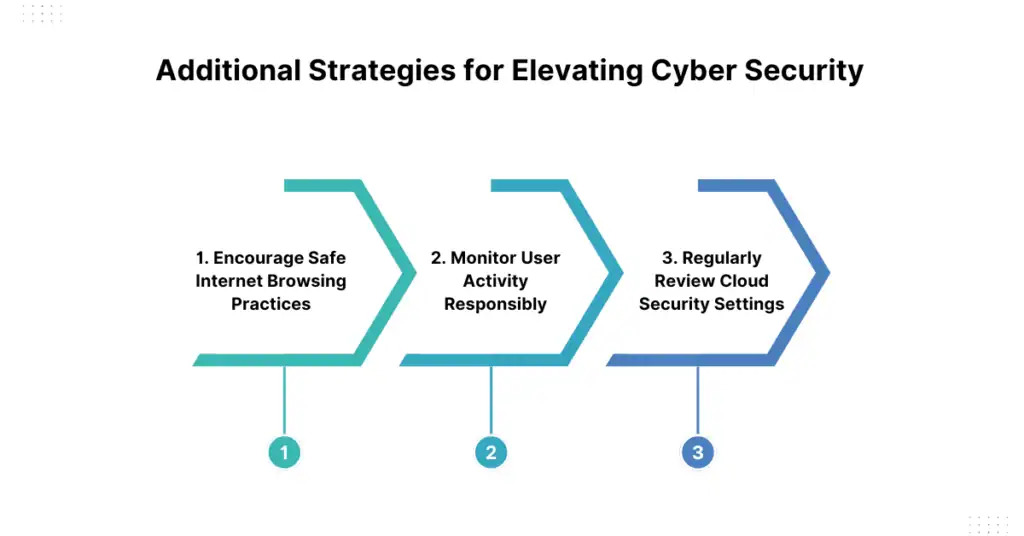
1. Encourage Safe Internet Browsing Practices
Educate employees about the dangers of visiting untrusted websites or downloading suspicious attachments.
2. Monitor User Activity Responsibly
Use endpoint detection and response (EDR) tools to detect anomalous behavior without infringing on employee privacy.
3. Regularly Review Cloud Security Settings
As more organizations move to cloud platforms, reviewing permissions, encryption settings, and shared access is crucial.
Conclusion
Promoting cyber security in the workplace is a multifaceted effort that requires technical controls, employee education, and a security-focused culture. By implementing these 10 strategies—ranging from regular training and password policies to rigorous incident response planning—organizations can build resilient defenses against cyber threats.
Cyber security is not just the IT department’s responsibility but a collective commitment that safeguards the integrity, privacy, and success of the business.
FAQs
1. Why is cyber security important in the workplace?
Ans. Cyber security protects sensitive company data, prevents financial loss, maintains customer trust, and ensures smooth business operations by guarding against cyber attacks and data breaches.
2. How often should employees undergo cyber security training?
Ans. Employees should receive training at onboarding and refresher sessions at least every 6 to 12 months to stay updated on emerging threats and best practices.
3. What makes a strong password?
Ans. A strong password typically includes a mix of uppercase and lowercase letters, numbers, and special characters, with a minimum length of 12 characters, and avoids common words or sequences.
4. What is multi-factor authentication (MFA) and why is it important?
Ans. MFA requires users to verify their identity through two or more independent methods, like a password plus a text code or biometric scan, adding an extra layer of security against unauthorized access.
5. How can remote workers stay secure?
Ans. Remote workers should use company-approved VPNs to connect securely, keep their devices updated, use strong passwords or MFA, and avoid using unsecured public Wi-Fi for work tasks.
