

Automating AWS Pentesting: Tools, Pipelines, and Proactive Security
Picture this: Your security team is manually testing your AWS environment every few months. But in between those tests, new vulnerabilities pop up, misconfigurations slip through the cracks, and threat actors find weaknesses before you do.
Now, imagine having an always-on security testing system one that scans, detects, and even helps remediate issues in real-time. That’s where automation in AWS pentesting comes in. Here in this article we are going to discuss about the Automating AWS Pentesting: Tools, Pipelines, and Proactive Security
In this blog, we’ll explore:
- Why automation is crucial in AWS pentesting.
- How continuous security pipelines protect businesses.
- Essential tools for automating cloud security testing.
The Shift to Automated AWS Pentesting
Many businesses still rely on traditional, manual pentesting—bringing in security experts once or twice a year to assess their AWS environment. But attackers don’t wait for your annual security audit.
This is where automated pentesting helps by:
- Detecting vulnerabilities in real-time rather than waiting for scheduled tests.
- Scaling security testing across large, complex AWS environments.
- Reducing human error—automation ensures tests run consistently.
- Saving costs and resources by minimizing manual efforts.
What is a Continuous Security Pipeline?
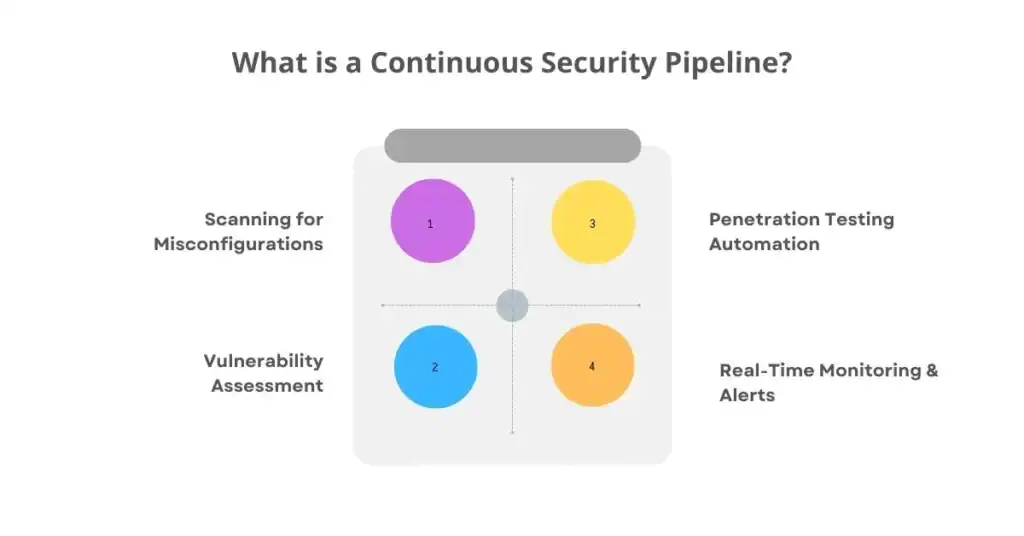
A Continuous Security Pipeline (CSP) is an automated process that integrates security testing into DevOps workflows. It ensures that every code change, infrastructure update, or new AWS resource is automatically tested for security risks.
A typical CSP follows these stages:
1️ Scanning for Misconfigurations
- Detects exposed S3 buckets, weak IAM policies, and open security groups.
2️ Vulnerability Assessment
- Identifies outdated software, unpatched EC2 instances, and weak encryption settings.
3️ Penetration Testing Automation
- Uses simulated attacks to test IAM roles, privilege escalation paths, and data leaks.
4️ Real-Time Monitoring & Alerts
- Notifies security teams before attackers exploit issues.
By automating these security checks, businesses ensure that vulnerabilities are found before production deployment.
Essential Tools for Automated AWS Pentesting

Several open-source and commercial tools help businesses automate their AWS pentesting efforts. Let’s look at some of the most effective ones
1. Prowler – AWS Security Best Practices Scanner
- Purpose: Identifies misconfigurations in IAM, S3, EC2, and more.
- How It Helps: Automates compliance checks (CIS AWS Benchmark, GDPR, SOC2).
- Best For: Security teams looking for quick, automated AWS audits.
2. ScoutSuite – Multi-Cloud Security Auditing
- Purpose: Passive scanner for AWS, Azure, and GCP.
- How It Helps: Finds IAM policy misconfigurations, open security groups, and unpatched systems.
- Best For: Security teams needing detailed cloud security reports.
3. CloudSploit – Continuous AWS Security Monitoring
- Purpose: Monitors AWS configurations for security risks.
- How It Helps: Detects public S3 buckets, weak IAM policies, and overly permissive access settings.
- Best For: Ongoing, real-time security checks.
4. AWS Inspector – Automated Vulnerability Scanning
- Purpose: Identifies security vulnerabilities in EC2 instances and container workloads.
- How It Helps: Scans for outdated software, missing patches, and compliance risks.
- Best For: DevSecOps teams integrating security into CI/CD pipelines.
5. PACU – AWS Exploitation Framework
- Purpose: Tests AWS environments for privilege escalation and data exposure risks.
- How It Helps: Simulates real-world attacks to find weaknesses before hackers do.
- Best For: Security teams conducting AWS penetration testing.
Building an Automated AWS Pentesting Pipeline
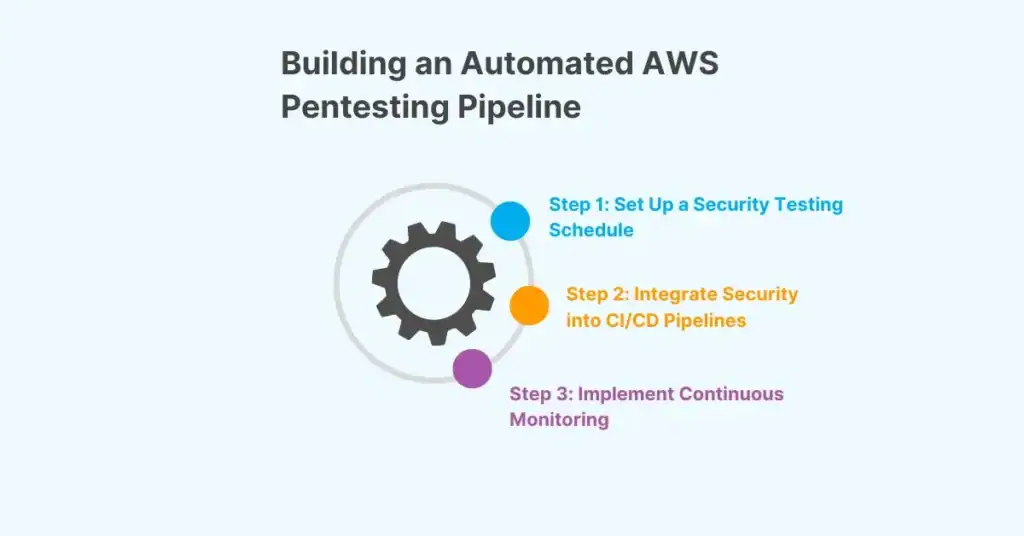
Step 1: Set Up a Security Testing Schedule
- Daily Scans: Run CloudSploit or Prowler to check for misconfigurations.
- Weekly Audits: Use ScoutSuite for deeper analysis of IAM and networking.
- Monthly Pentests: Run PACU to simulate real-world attacks.
Step 2: Integrate Security into CI/CD Pipelines
DevOps and security teams should work together to embed security checks into development workflows.
🔹 Example Pipeline:
1️ Code Commit → Developer pushes code to GitHub.
2️ Infrastructure Scan → Prowler checks AWS configurations.
3️ Vulnerability Scan → AWS Inspector checks for unpatched systems.
4️ Pentest Simulation → PACU tests IAM policies for privilege escalation risks.
5️ Deployment Approval → If no critical issues, code is pushed to production.
Step 3: Implement Continuous Monitoring
- Use AWS CloudWatch & CloudTrail to monitor security events.
- Set up automated alerts when an unauthorized change is detected.
- Regularly review security reports and remediate findings.
Conclusion: Security Never Sleeps—Why Should You?
In today’s fast-paced cloud environment, manual pentesting isn’t enough. Businesses need continuous, automated security pipelines to keep their AWS environments secure.
