

Essential AWS Pentesting Tools: PACU, ScoutSuite, and CloudSploit
Imagine running a business where all your sensitive data, applications, and customer records are stored in the cloud. Now, imagine if an attacker found a way to access it all—stealing, modifying, or even deleting critical information.
Sounds terrifying, right?
That’s why regular security testing (pentesting) in AWS is crucial. But let’s be honest—AWS is a complex environment, and manual testing can be overwhelming. That’s where automated tools like PACU, ScoutSuite, and CloudSploit come in. These tools help identify misconfigurations, security gaps, and vulnerabilities before attackers do.
In this blog, we’ll explore:
- Why AWS pentesting is necessary for businesses.
- How PACU, ScoutSuite, and CloudSploit help identify security flaws.
- Step-by-step guides on using these tools effectively.
PACU: AWS Exploitation Framework
PACU (short for “Pentesting AWS Cloud Utilities”) is a powerful post-exploitation framework designed for ethical hacking in AWS. Think of it as Metasploit, but for AWS—it allows security professionals to assess and exploit vulnerabilities in cloud environments.
Why PACU is Essential for AWS Pentesting:
- Automates reconnaissance – Quickly gathers AWS account details.
- Simulates real-world attacks – Helps businesses understand their security weaknesses.
- Tests IAM misconfigurations – Finds excessive permissions and privilege escalation paths.
- Identifies exposed AWS resources – Scans for open S3 buckets, unprotected EC2 instances, and weak IAM policies.
How to Use PACU Effectively?

1️ Set Up PACU
- Install PACU in a secure environment (Kali Linux, Ubuntu, etc.).
- Use read-only AWS credentials to prevent accidental changes.
2️ Run Reconnaissance Modules
- Identify IAM users, roles, and permissions.
- Check for misconfigured security groups and publicly exposed resources.
3️ Simulate Attacks Safely
- Test privilege escalation by finding overly permissive IAM roles.
- Look for S3 bucket exposure and attempt to access sensitive files.
4️ Review Results & Fix Issues
- If PACU finds excessive permissions, remove unnecessary access.
- If public S3 buckets are detected, restrict them immediately.
ScoutSuite: Multi-Cloud Security Auditing Tool
ScoutSuite is an open-source cloud auditing tool that scans AWS, Azure, and GCP environments for security risks. It provides a comprehensive security assessment without making any changes to cloud configurations.
Why Use ScoutSuite for AWS Auditing?
- Identifies misconfigurations in AWS services like EC2, S3, IAM, RDS, and more.
- Generates detailed security reports with risk levels.
- Works across multiple cloud providers (AWS, Azure, GCP).
- No risk of modifying cloud resources – it’s a passive scanner.
How to Use ScoutSuite Effectively?
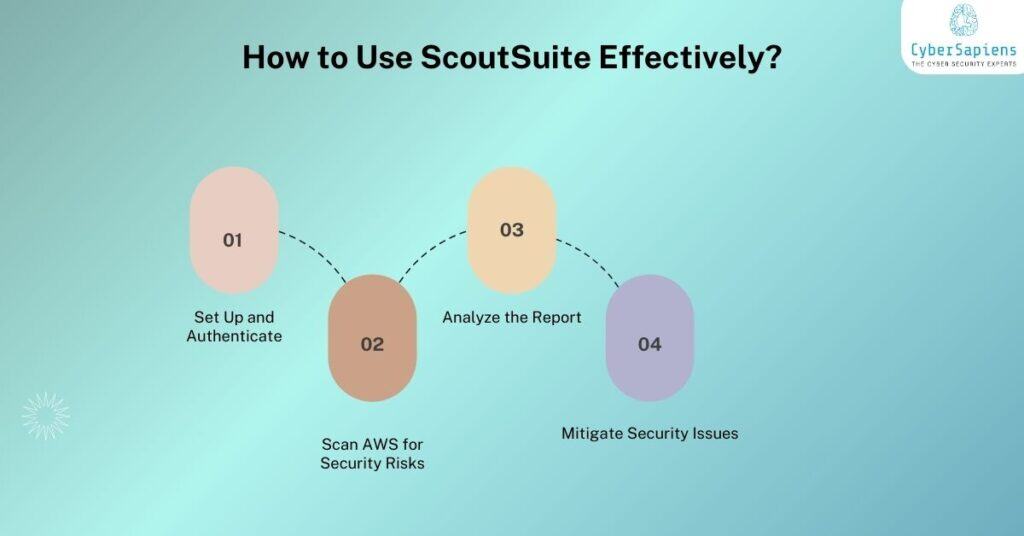
1️ Set Up and Authenticate
- Run ScoutSuite with AWS credentials (using IAM role or access keys).
2️ Scan AWS for Security Risks
- Identify overly permissive IAM roles and policies.
- Check for exposed S3 buckets and open security groups.
- Look for unpatched EC2 instances with outdated software.
3️ Analyze the Report
- Review the security findings in the generated HTML report.
- Prioritize high-risk vulnerabilities and take corrective actions.
4️ Mitigate Security Issues
- Restrict excessive IAM permissions.
- Enable encryption and proper access controls for storage.
- Close open security groups to limit public access.
CloudSploit: Continuous AWS Security Monitoring
CloudSploit is an automated security scanner that continuously monitors AWS configurations for misconfigurations and compliance risks. Unlike PACU and ScoutSuite, which are mainly used for assessments, CloudSploit is designed for ongoing security monitoring.
Why CloudSploit is Important?
- Automated security scanning – No need for manual checks.
- Detects compliance violations – Helps meet regulatory requirements (SOC 2, ISO 27001, etc.).
- Alerts on security misconfigurations – Sends real-time notifications.
- Covers multiple AWS services – EC2, IAM, RDS, S3, CloudTrail, and more.
How to Use CloudSploit Effectively?
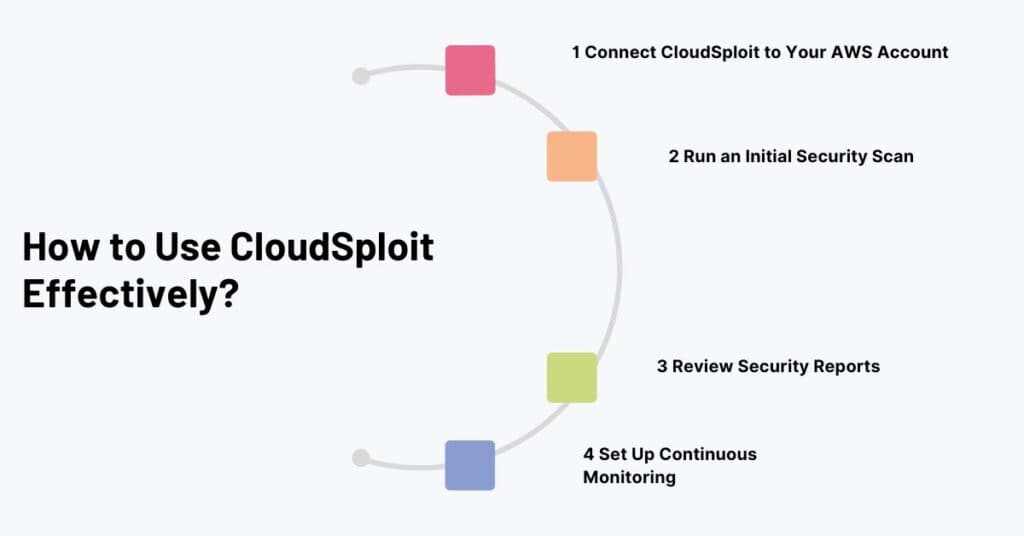
1️ Connect CloudSploit to Your AWS Account
- Use IAM role-based authentication to grant read-only access.
2️ Run an Initial Security Scan
- CloudSploit will analyze IAM roles, security groups, network configurations, and data storage settings.
3️ Review Security Reports
- Prioritize and address high-risk misconfigurations first.
4️ Set Up Continuous Monitoring
- Configure automated scans to detect new security risks as they emerge.
Conclusion: Essential AWS Pentesting Tools: PACU, ScoutSuite, and CloudSploit
Each tool serves a different purpose, but when used together, they provide a complete AWS security testing strategy:
- Use PACU for offensive pentesting – simulate attacks and identify IAM flaws.
- Use ScoutSuite for detailed security audits – find misconfigurations without modifying AWS settings.
- Use CloudSploit for continuous monitoring – keep track of security risks and compliance.
Final Thoughts: AWS security isn’t a one-time task—it’s an ongoing process. Attackers constantly look for weaknesses, and businesses must stay ahead by regularly testing, auditing, and monitoring their cloud environments.
